Accessibility in physical spaces

In the Netherlands alone, it is estimated that around 2 million people live with some kind of disability. As public institutions, museums and science centres strive to be places that make everyone feel welcome and where everyone can discover, learn and have fun.
As a company that creates digital site-specific interactive games in museums, our focus lies on several particular aspects of the work that we make. A lot has to do with how to make something digital accessible, however, our work also always contains physical parts such as sensors or touch screens as well.
We always make accessibility a key consideration throughout our entire work process. From concept phase, to screen design, to prototyping and testing up until the finished product. There are a number of particular aspects that we try to focus on especially which we have noted down here. This is not to be taken as a static list to be ticked off. It is more a useful reminder for us, to take a look at every once in a while during a project, to check if we are not forgetting anything and to see where we might be missing an opportunity to create more access.
Although we design and build digital exhibits, we want to be involved in the spatial and construction aspects of a project as well. All of our games will be integrated in physical set-ups and if we know the details, we can adjust for certain things such as interactive areas to be within reach for wheelchair users and children.
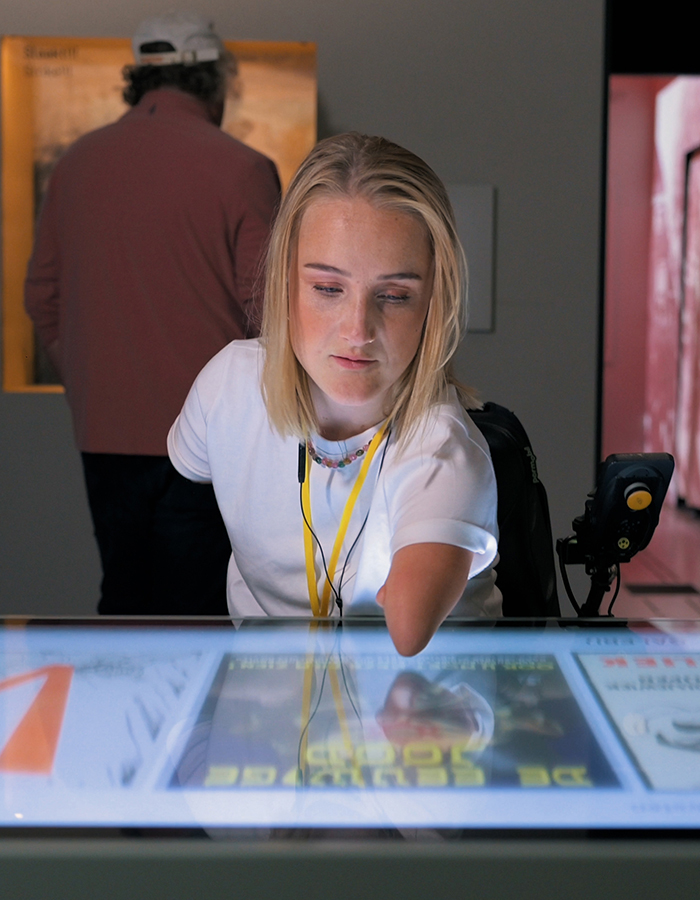
Whenever possible, place screens at an eye level of ca. 122 cm for wheelchair users and children
Consider the angle of the screen, e.g. horizontal screens may be difficult to see for wheelchair users and children
Think of the space underneath, if a screen is embedded in furniture, is there space for a wheelchair user to roll underneath the table
Whenever possible, place buttons and interactive elements within arm’s reach of ca. 105 cm for wheelchair users and children
When placing and adjusting the lights, try to avoid glare on screens and projections in bright rooms to increase visibility
If a game is designed for a playtime of more than 5 minutes, flexible seating should be provided

If a game contains a screen, then the layout and design should be intuitive and easy to use. Our games are often on touch screens, so interactive elements and navigation should be easy to find and use. Text should be designed in such a way to make reading as easy as possible. And we love to make colourful designs, but to ensure that all information can still be grasped and nothing is lost, we check if the contrast is good enough with special tools.
Interactive elements, e.g. buttons, sliders, etc. should be easily understood to be interactive
Most visitors don’t read much in museums. So use visuals to tell the story. Text is there to support, not to lead.
No cursive, if emphasis is needed use bold
No more than ca. 55 characters per line
Best for reading is left justification with ragged right margin
Where it fits, add images/illustrations to support the information of the textText should have a high contrast to the background, this can be checked using a contrast analyser such as this one, or this simulator that displays your screen simulating different common color vision impairments.
Avoid certain colour combinations that are difficult to distinguish for many colour blind people. Think of the colours beforehand as shown here.

When there is narrative audio, open captions should be provided. Take a look here for best practice guidelines on open captions.
Ideally, when there is narrative audio visitors can adjust the sound volume.
If sounds are continuously playing in the gallery space, make sure to avoid having sounds that can be annoying (e.g. spoken words played on a loop, loud sound effects) or overwhelming
Similar to narrative audio, for videos too, open captions should be provided. Where possible, they should form a whole with the rest of the design.
When there is narrative audio, open captions shall be provided.
Consider adding sign language to your videos to create even more access. Remember, there is no universal sign language, each country has their own language.
Do not place looping videos right next to info texts. If info texts are displayed, all videos should stop playing.

We love to make phygital exhibits because we believe that tactile interactions are not just fun but also facilitate attention, engagement and learning. On top of that, playful physical controls with feedback make digital worlds more fun and inclusive, offering better access for visually impaired people or people with other disabilities than touch-only screens.
If possible make interactions tangible instead of just a touch screen
Make the tangible objects in recognizable shapes or use imprints so visually impaired people can distinct one object from the other

We love to work with different types sensors and input. It is good to consider the implications of using different kinds of input. Not every exhibit will be accessible for every type of visitor. Wherever possible try to optimise, so the largest group of visitors could use an exhibit. e.g. through some R&D work we managed to ensure that our immersive project spaces can detect visitors who are using a wheelchair.
R&D and test to see if you can tweak software and or device in such a away to increase accessibility
make sure sensors (for example in immersive spaces) also detect wheelchair users
if you have input devices to be used with one hand, consider whether right-, as well as left handed visitors could easily use this

User testing is crucial to ensure that the design considerations that have carefully been made actually "hit-home" so to speak. A great starting point is to ask the client to provide a small group of members of their primary target audience and have this group test some prototypes.
Testing with different types of users (age, background, ability)
Testing at different stages in the process (concept, prototype, inside the museum & at YIPP)
How to include the client, have them provide who they think their primary target audience is

To consider accessibility from the very start and plan for it for the entirety of the project, best together with visitors with disabilities, is something we aim to do for each project.
Involve museum visitors with disabilities right from the start
Take accessibility into consideration when it comes to project planning and budgeting. Will you need to do feasibility studies, R&D, user testing with specific target groups, produce sign language videos, etc.

We consulted these resources in our research:
a great Dutch documentary that talks about disability on a meta level
a book on how accessibility can be archived in different areas of museums
info on how to take wheelchairs into consideration for spatial planning
Guidelines on how to write museum texts
We found these useful tools in our research/recommended by clients:
guidelines on best practice for subtitles
guide on accessible colour palettes
We are always on the lookout for new resources, tools and opportunities to learn. If you have any suggestions, or feedback, please tell us about it.